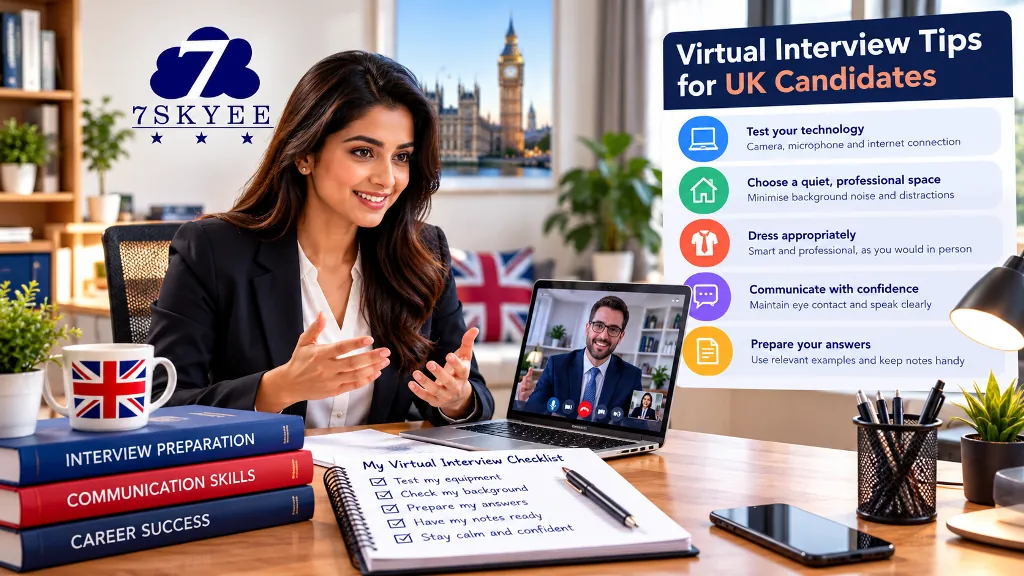
Virtual interviews have become a familiar part of recruitment, allowing employers to meet candidates without requiring everyone to attend the same location. They may be used for initial screening, competency-based interviews, technical assessments or later-stage discussions.
Although an online interview takes place through a screen, the preparation required is much the same as for an in-person meeting. You still need to understand the role, explain your experience clearly, answer questions thoughtfully and demonstrate why you are suitable.
The difference is that technology, lighting, sound and your surroundings can influence how effectively you communicate.
This guide explains how to prepare for a virtual job interview in the UK, from testing your equipment to handling difficult questions and following up afterwards.
For a complete preparation plan, read our guide to how to prepare for a job interview in the UK.
1. Understand the Interview Format
Before preparing your answers, confirm what type of online interview you will be attending.
Virtual interviews can take several forms:
Live video interview: You speak directly with a recruiter, hiring manager or panel.
Recorded video interview: You record answers to pre-set questions, sometimes within a time limit.
Technical interview: You explain your knowledge, solve problems or complete a practical task.
Panel interview: Several interviewers join the same online meeting.
Initial screening call: A recruiter checks your background, motivation, availability and suitability.
Read the invitation carefully. Confirm the platform, meeting link, expected duration, interviewers and any preparation instructions.
If you are unsure whether the interview will include a presentation, assessment or task, ask the employer in advance.
2. Test Your Technology Before the Interview
Technical problems can distract you and make it harder to communicate your strengths. Test your setup before the interview rather than waiting until the meeting starts.
Check the following:
Your laptop or computer is working properly.
Your camera produces a clear image.
Your microphone captures your voice without excessive background noise.
Your internet connection is stable.
The required video-conferencing software works.
Your meeting link and login details are available.
Your device is charged or connected to power.
Use headphones if they improve sound quality and reduce echo. If possible, keep a phone available as a backup device, but do not rely on it as your primary setup unless necessary.
If you experience technical difficulties during the interview, stay calm, explain the problem briefly and follow the employer's instructions. If the connection fails completely, contact the interviewer using the details in the invitation.
3. Choose a Quiet, Professional Setting
You do not need a dedicated home office to attend a virtual interview. You do need a space where you can speak comfortably and minimise interruptions.
Choose a location with:
Limited background noise.
A reasonably uncluttered background.
Adequate lighting.
A stable surface for your device.
Enough privacy to discuss your experience.
A simple room with a neutral background is usually sufficient. Avoid sitting where other people are likely to walk through the frame or where loud household activity may interrupt the conversation.
If you share your home or have caring responsibilities, arrange the most practical quiet period available. If a private space is difficult to access, consider whether a suitable alternative location is available.
4. Get Your Lighting and Camera Position Right
Your interviewer should be able to see your face clearly.
Where possible, position a light source in front of you rather than directly behind you. Sitting with a bright window behind your head can make your face appear dark.
Position your camera around eye level. This creates a more natural viewing angle than placing a laptop far below your face.
Before the interview:
Open the camera preview.
Check that your face is clearly visible.
Adjust the lighting and camera height.
Check that your head and shoulders fit comfortably within the frame.
Remove distracting objects from the immediate background.
You do not need expensive equipment or elaborate lighting. A well-positioned laptop and natural light can be enough.
5. Dress Appropriately for the Role
For an online interview, choose clothing that is professional and appropriate for the organisation, industry and position.
If you are uncertain about the dress code, a smart, understated outfit is a reasonable starting point.
Dress as you would for a comparable in-person interview. Even though the interviewer sees only part of your outfit, dressing appropriately can also help you feel prepared.
Avoid clothing or accessories that are likely to distract from the conversation. Check how your chosen outfit appears on camera before the meeting.
6. Research the Employer and Job Description
A virtual interview still requires proper research. Do not focus so much on your equipment that you neglect the substance of the interview.
Read the job description and identify the main skills, responsibilities and qualifications the employer is looking for.
Then research the organisation:
What products or services does it provide?
Who are its customers or clients?
What does the role involve?
What relevant developments or priorities can you identify?
Why does the opportunity interest you?
Prepare examples from your experience that demonstrate how you meet the job requirements.
Our guide to common UK job interview questions and how to answer them can help you practise your responses.
7. Practise Your Interview Answers
Good technology cannot compensate for answers that are unclear or unprepared.
Practise explaining your professional background, motivation, relevant strengths and achievements. Focus on understanding the points you want to communicate rather than memorising a script.
Common questions may include:
Tell me about yourself.
Why are you interested in this position?
What are your strengths and weaknesses?
Why should we hire you?
Tell me about a challenge you overcame.
What are your career goals?
Prepare real examples that relate to the job description. For competency-based questions, the STAR method can help you structure an answer around the Situation, Task, Action and Result.
Read our guide to answering STAR interview questions for further examples.
8. Use Notes Without Reading From a Script
One advantage of a virtual interview is that you can keep a few notes nearby. Use this advantage carefully.
Useful notes might include:
Three important requirements from the job description.
Key achievements you want to discuss.
Questions you want to ask the interviewer.
A few facts about the organisation.
Important details about the interview process.
Keep your notes brief and position them near your camera if possible.
Avoid reading complete answers from another screen or looking down at your notes throughout the conversation. This can make your responses feel unnatural and reduce eye contact.
Your notes should prompt your memory, not replace your ability to communicate.
9. Communicate Confidently on Camera
Online communication can feel different from speaking to someone in the same room. A few simple habits can make the conversation more natural.
Look towards the camera when speaking. This can create the impression of eye contact, although it is also natural to look at the interviewer on your screen while listening.
Speak clearly. Allow a short pause before answering so that you do not talk over the interviewer.
Listen to the full question. If you need clarification, ask politely rather than guessing what was meant.
Use natural body language. Sit comfortably, maintain an attentive posture and use gestures where they help you explain a point.
Avoid rushing. A short pause to organise your thoughts is better than giving an unclear answer simply to respond quickly.
You do not need to perform or maintain a fixed expression throughout the meeting. Aim for a professional, engaged conversation.
10. Handle Virtual Interview Questions Professionally
The questions asked in a virtual interview are generally similar to those in an in-person interview. Your answers should still focus on the role and your evidence.
If asked, “Why should we hire you?”, connect your experience to the employer's needs and explain the contribution you could make.
If asked about a difficult workplace situation, describe the context, your responsibility, the action you took and the outcome.
If you need time to think, it is fine to say something such as:
“That's a good question. Let me take a moment to consider the most relevant example.”
If you do not know the answer to a technical question, be honest about what you know and explain how you would approach finding a solution. Do not bluff simply because the interview is online.
11. Prepare for Recorded Video Interviews
Some employers ask candidates to record responses to questions without a live interviewer.
This format may feel unfamiliar because you cannot respond to facial expressions or ask follow-up questions in the same way.
Before starting:
Read the instructions carefully.
Check whether there is a time limit for each answer.
Find out whether you can re-record a response.
Test your camera and microphone.
Prepare examples for likely competency questions.
Practise speaking directly to the camera.
During each response, answer the question promptly and organise your points clearly. If the platform provides preparation time, use it to identify the main message and supporting example.
Do not assume that every recorded interview works the same way. Follow the specific instructions supplied by the employer.
12. What to Do in an Online Panel Interview
A virtual panel interview may involve several interviewers, each assessing different aspects of your suitability.
At the start, note the interviewers' names and roles if they are introduced. When answering, direct your response to the person who asked the question while remaining aware of the other participants.
If you are asked a multi-part question, take a moment to organise your response before beginning.
Avoid addressing every interviewer individually during a single answer. Speak naturally and include the relevant context so that the entire panel can follow your reasoning.
If two interviewers speak at once, pause politely and let them establish who will continue.
13. Questions to Ask at the End
Prepare two or three questions in advance. Examples include:
What would success look like in the first six months?
What are the main priorities for the person joining the team?
How is the team structured?
What challenges is the team currently working to address?
What are the next stages of the recruitment process?
You can keep these questions in your notes, but ask them naturally when the interviewer invites questions.
Avoid asking something that was clearly explained earlier in the interview. You can also ask about working arrangements, equipment or expectations for remote work if these are important to your decision.
14. What to Do if Something Goes Wrong
Not every online interview goes perfectly. Your internet may become unstable, a notification may appear or an unexpected noise may interrupt you.
If a minor distraction occurs, acknowledge it briefly if necessary and continue.
If your connection becomes unstable, tell the interviewer and follow their instructions. If you lose the meeting entirely, try rejoining and use the contact details supplied to explain what happened.
If a technical problem affects a significant part of the interview, you can politely ask whether the interviewer would prefer to continue by another method or rearrange the meeting.
The aim is not to pretend that nothing happened. It is to handle the problem calmly and professionally.
15. Follow Up After the Interview
After the meeting, make a note of the questions you found challenging and the examples that worked well. This can help you prepare for later stages or future interviews.
If appropriate, send a short thank-you message to the recruiter or interviewer, particularly if you have a direct contact and the message would be welcome.
Follow the employer's stated timeline for the outcome. If the expected date passes without an update, a polite follow-up is reasonable.
Do not send repeated messages immediately after the interview. Give the employer a reasonable opportunity to complete its process.
16. Virtual Interview Checklist
Before joining your interview, check that:
I have confirmed the interview time, platform and meeting link.
My camera, microphone and internet connection work.
My device is charged or connected to power.
I have chosen a quiet and suitable location.
My face is clearly visible on camera.
I am dressed appropriately for the role.
I have researched the employer and job description.
I have practised common interview questions.
I have prepared relevant examples and brief notes.
I have questions ready for the interviewer.
I know how to contact the employer if the connection fails.
Final Thoughts
A successful virtual interview depends on more than having a working camera. You need to demonstrate the same preparation, professionalism and relevant experience that you would bring to an in-person meeting.
Test your technology, create a suitable setting, practise your answers and prepare examples that connect your experience to the role. If something goes wrong, remain calm and focus on communicating clearly.
For individual practice and feedback, explore 7Skyee's UK Interview Coaching service