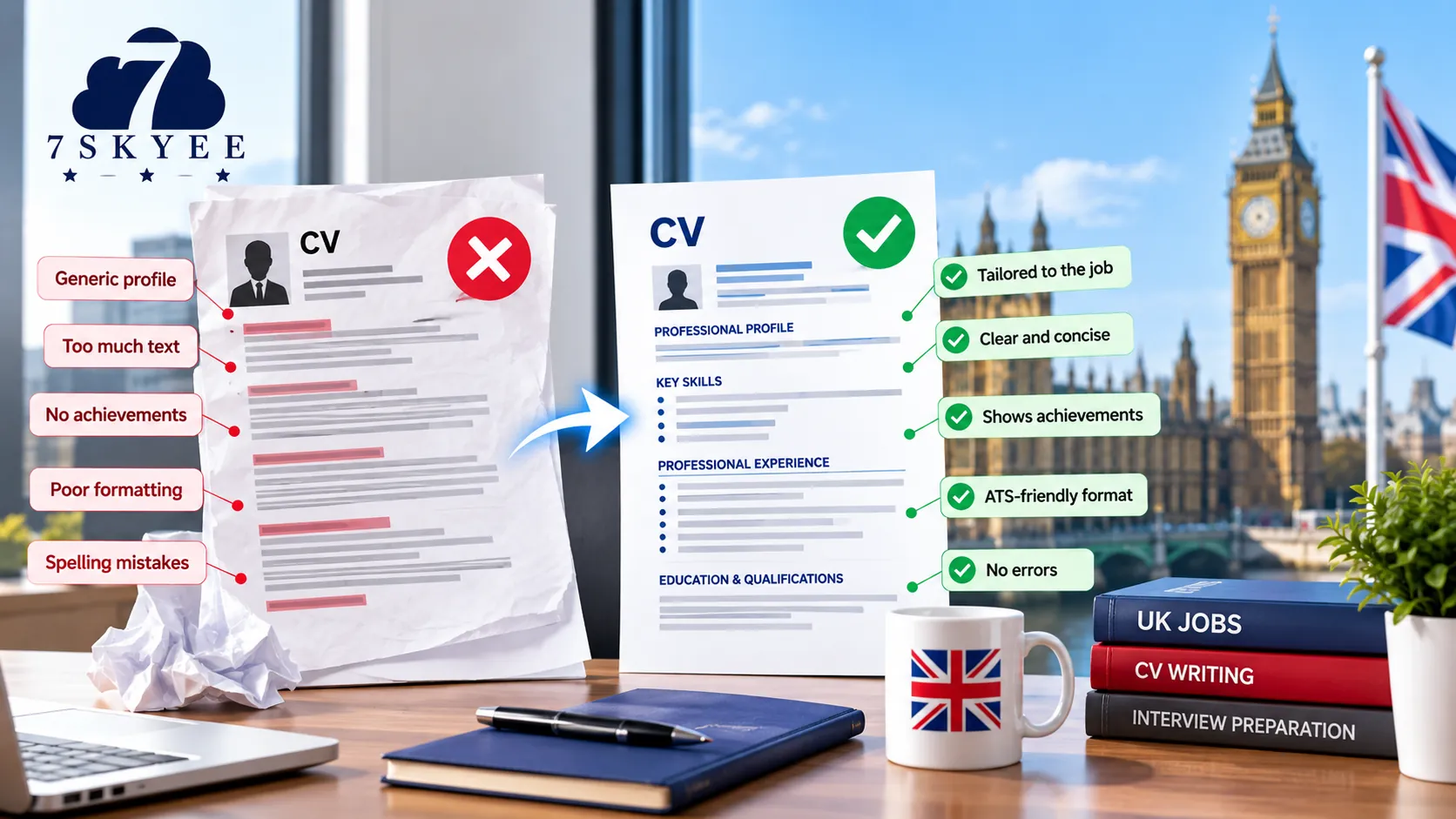

Applying for jobs in the UK is not simply about having a good CV. In many recruitment processes, your CV may first be processed by an Applicant Tracking System (ATS) before a recruiter reviews it.
An ATS is recruitment software that employers can use to organise applications and identify CVs containing information relevant to a job description. UK JobHelp specifically advises candidates to identify keywords in the job advert, tailor their CV, use clear formatting and avoid elements such as pictures, tables and diagrams that can make CVs harder for an ATS to read.
But being ATS-friendly does not mean writing your CV for a machine.
Your CV still needs to convince a recruiter that you have the skills, experience and achievements required for the role.
The best approach is therefore to create a CV that works for both:
ATS readability + recruiter readability.
In this guide, we explain how to make your CV ATS-friendly for UK jobs without making it generic, repetitive or difficult for a human reader to understand.
What Is an Applicant Tracking System?
An Applicant Tracking System, commonly known as an ATS, is software used by employers and recruitment teams to manage job applications.
Depending on the system and how an employer uses it, an ATS may help recruiters:
Organise applications
Search candidate information
Identify relevant keywords
Compare candidate information with job requirements
Manage large volumes of applications
Progress suitable candidates through the recruitment process
According to UK JobHelp, ATS software can scan CVs for keywords and identify applications that best match the requirements of the job.
This makes it important to communicate your experience clearly and use relevant terminology where it genuinely applies to you.
Does Every UK Employer Use an ATS?
No.
Not every employer uses the same recruitment technology, and not every application will be screened in exactly the same way.
That is why you should not try to create a CV that is designed only for an ATS.
Instead, your CV should be:
Easy to read
Relevant to the vacancy
Clearly structured
Professionally written
Accurate
Easy for recruitment software to interpret
The good news is that many of the practices that make a CV ATS-friendly also make it easier for recruiters to read.
10 Ways to Make Your CV ATS-Friendly for UK Jobs
1. Tailor Your CV to the Job Description
The most important rule is simple:
Do not use exactly the same CV for every job application.
Start by reading the job description carefully.
Identify:
Required skills
Technical skills
Qualifications
Responsibilities
Industry terminology
Software or systems
Behavioural skills
Experience requirements
Then compare those requirements with your own experience.
If the employer is looking for stakeholder management, for example, and you have genuinely managed stakeholders, make that experience visible in your CV.
UK JobHelp recommends tailoring your CV to each vacancy and identifying keywords from the job advert.
You can also read our detailed guide, How to Write a CV for Jobs in the UK: A Complete Guide for the complete UK CV structure.
2. Use Relevant Keywords Naturally
Keywords are important because an ATS may look for terms that correspond with the job description.
Imagine a vacancy for a Finance Manager includes:
Financial planning
Budgeting
Forecasting
Management reporting
Stakeholder management
If you have this experience, your CV should communicate it using clear and accurate terminology.
Weak example
Worked with numbers and helped senior managers make business decisions.
Stronger example
Managed financial planning, budgeting and forecasting activities while providing management reporting and commercial analysis to senior stakeholders.
The second example gives the recruiter and the ATS more useful information.
However, do not add keywords simply because they appear in the job advert.
If you do not have the relevant skill or experience, do not claim that you do.
ATS optimisation should always be based on truthful information.
3. Use Standard CV Headings
Keep the structure of your CV straightforward.
Use conventional headings such as:
Professional Profile
Key Skills
Professional Experience
Education
Qualifications
Certifications
Professional Memberships
Avoid replacing standard headings with unnecessarily creative alternatives.
For example:
"My Professional Journey"
may sound more distinctive, but:
"Professional Experience"
is immediately understandable.
The National Careers Service recommends using clear headings and bullet points to make a CV easier to read.
A straightforward structure also makes it easier for recruitment software to identify the different sections of your CV.
4. Keep Your CV Layout Simple
A modern CV can still look professional without relying on complicated design.
Be cautious with:
Multiple columns
Text boxes
Large graphics
Charts
Decorative icons
Information embedded inside images
Complicated tables
Highly visual templates
UK JobHelp specifically advises candidates not to use pictures, tables or diagrams because these can be harder for an ATS to read.
This does not mean your CV needs to look boring.
Good typography, appropriate spacing, clear headings and consistent formatting can create a professional appearance without introducing unnecessary technical complexity.
5. Choose a Clear, Readable Font
Your CV should be comfortable to read on screen.
Common professional fonts include:
Arial
Calibri
Times New Roman
The National Careers Service recommends clear fonts such as Arial, Times New Roman or Calibri, generally at size 11 or above.
Whichever font you choose, use it consistently.
Avoid using several different fonts simply to make the document look more creative.
6. Use Bullet Points Instead of Large Blocks of Text
Recruiters often need to scan CVs quickly.
Large paragraphs make important information harder to find.
Compare:
I was responsible for managing a team of sales professionals across the UK and developing new business opportunities while maintaining relationships with existing customers and preparing reports for senior management.
with:
Managed a 10-member sales team across the UK.
Developed new business opportunities across strategic accounts.
Managed key customer relationships.
Prepared monthly performance reports for senior management.
The second format is easier to scan and makes individual responsibilities easier to identify.
UK JobHelp also recommends using bullet points and breaking up long, complicated sentences when preparing an ATS-friendly CV.
7. Show Achievements, Not Just Keywords
A strong ATS-friendly CV should not become a collection of keywords.
Your skills need to be supported by evidence.
Instead of:
Project Management
Leadership
Process Improvement
show how you used those skills:
Led a cross-functional project involving 15 team members and delivered the implementation two months ahead of schedule.
This demonstrates:
Project management
Leadership
Team collaboration
Delivery
Results
Where possible, use measurable achievements such as:
Revenue generated
Costs reduced
Time saved
Team size
Projects delivered
Customer growth
Productivity improvements
Percentage improvements
The STAR approach can also help you turn responsibilities into evidence-based achievements. The National Careers Service explains that STAR stands for Situation, Task, Action and Result and can be used to demonstrate skills and experience in a CV or application.
8. Keep Job Titles and Dates Consistent
Your employment history should be easy to understand.
A simple format is:
Job Title
Company Name | Location
Month Year – Month Year
Then use bullet points to describe relevant responsibilities and achievements.
The National Careers Service recommends listing work experience with the employer, job title and dates, with the most recent experience first.
Be consistent with dates.
For example, don't use:
January 2024 – Present
for one position and:
06/2021 – 12/2023
for another.
Choose one format and use it throughout the document.
9. Check Spelling and Keywords Carefully
A spelling mistake can make your CV look unprofessional.
It can also create an ATS problem if a keyword is misspelt.
For example:
Project Managment
is not the same as:
Project Management
UK JobHelp specifically warns that an ATS may not identify a keyword correctly if it has been misspelt.
Before submitting your CV:
Run a spelling check
Check job titles
Check company names
Check dates
Check qualifications
Check contact information
Ask someone else to proofread it
UK JobHelp also recommends checking your CV for accuracy and using UK English spelling for job applications.
10. Follow the Employer's File Format Instructions
Always check the application instructions before uploading your CV.
If the employer specifies a particular file type, follow those instructions.
Where no format is specified, UK JobHelp says that a DOCX file is usually the best format for an ATS to read.
However, the important principle is to follow the employer's requirements rather than assuming one file format is universally correct.
Also make sure that your CV contains selectable text rather than being uploaded as a scanned image.
What Should You Avoid on an ATS-Friendly CV?
Some CV design elements can make important information more difficult for recruitment software to interpret.
Avoid unnecessary tables
Tables can sometimes affect how information is extracted.
Avoid text boxes
Do not put important career information inside decorative text boxes.
Avoid images containing important information
Your job title, skills and achievements should exist as actual text.
Avoid complicated graphics
Charts and infographics may look attractive but can make your CV less accessible to an ATS.
Avoid excessive columns
A complicated layout can affect the order in which information is read.
Avoid excessive icons
You do not need an icon beside every phone number, email address or skill.
Avoid unusual fonts
Prioritise readability.
Avoid keyword stuffing
Repeating a keyword again and again does not make you more qualified.
Your CV should read naturally.
How Many Keywords Should Your CV Have?
There is no universal magic number.
The right number depends on the vacancy and your experience.
Instead of asking:
"How many keywords should I put into my CV?"
ask:
"Have I clearly demonstrated the important requirements of this job?"
If the employer asks for:
Project management
Stakeholder management
Budget control
Team leadership
and you genuinely have those capabilities, make them visible throughout your CV.
They can appear naturally in:
Your professional profile
Key skills
Employment history
Achievements
Qualifications
This is much more effective than creating a large block of disconnected keywords.
Should You Copy Keywords From the Job Description?
Use relevant terminology from the job description when it accurately reflects your experience.
For example, if the employer uses:
"stakeholder management"
and you have that experience, it makes sense to use the same terminology.
But do not change your professional history simply to match the employer's wording.
If a vacancy asks for:
Commercial Account Management
but your actual experience is:
Technical Project Management
you should not claim commercial account management simply because it appears in the job advert.
Your CV must remain truthful.
ATS-Friendly Does Not Mean Plain or Generic
This is an important misconception.
An ATS-friendly CV does not need to look like a plain text document.
You can still create a polished professional CV using:
Strong typography
Clear spacing
Consistent headings
Professional alignment
Simple visual hierarchy
Well-organised sections
What you want to avoid is design that interferes with information.
Your CV should look professional without allowing design to become more important than your experience.
ATS-Friendly CV vs Recruiter-Friendly CV
The best CV should be both.
ATS-FriendlyRecruiter-FriendlyClear headingsEasy to scanRelevant keywordsStrong positioningSimple formattingProfessional appearanceStandard terminologyNatural writingSelectable textClear achievementsConsistent structureRelevant experience
You should never have to choose one over the other.
A well-written CV can satisfy both requirements.
A Simple ATS-Friendly UK CV Structure
For many professional roles, the following structure is a strong starting point:
1. Name and Contact Details
Include:
Name
Phone number
Professional email
Location
LinkedIn profile, where relevant
2. Professional Profile
Write a short introduction explaining your professional background, expertise and career direction.
3. Key Skills
Highlight skills that are genuinely relevant to your target position.
4. Professional Experience
Start with your most recent position.
Focus on relevant responsibilities and achievements.
5. Education and Qualifications
Include relevant academic and professional qualifications.
6. Certifications
Add certifications that strengthen your application.
7. Additional Information
Include relevant professional memberships, languages, volunteering or other information where appropriate.
For a broader explanation of what belongs in each section, read How to Write a CV for Jobs in the UK: A Complete Guide
Example: Turning a Job Description Into CV Keywords
Imagine a UK employer is hiring a Digital Marketing Manager.
The job description includes:
Digital marketing strategy
SEO
Paid search
Content marketing
Google Analytics
Team management
Campaign performance
A weak CV might say:
Managed digital marketing activities and worked with the marketing team to improve online performance.
A stronger version could say:
Developed digital marketing strategies covering SEO, paid search and content marketing, using Google Analytics to evaluate campaign performance and improve lead generation.
The second version naturally communicates relevant terminology while also showing how the candidate used those skills.
That is the difference between keyword stuffing and keyword relevance.
How to Check Your CV Before Applying
Use this checklist before submitting an application.
Structure
Are the main sections clearly labelled?
Are standard headings used?
Is the information presented in a logical order?
Can a recruiter quickly find your relevant experience?
Keywords
Have you studied the job description?
Have you identified the important requirements?
Are relevant keywords included naturally?
Do those keywords accurately describe your experience?
Formatting
Is the font easy to read?
Is the formatting consistent?
Have you avoided unnecessary tables?
Have you avoided important information inside images?
Are bullet points used effectively?
Accuracy
Are your employment dates correct?
Are your job titles correct?
Are your qualifications correct?
Are your contact details correct?
Have you checked spelling and grammar?
Relevance
Is the CV tailored to this particular vacancy?
Have you prioritised relevant experience?
Have you demonstrated achievements?
Have you removed outdated or unnecessary information?
File
Have you followed the employer's file-format instructions?
Is the filename professional?
Have you checked the final document before uploading it?
Should You Use AI to Make Your CV ATS-Friendly?
AI tools can be useful for brainstorming, editing and identifying potential improvements.
However, your CV should still sound like you.
Your final document should accurately represent:
Your real experience
Your actual responsibilities
Your genuine skills
Your achievements
Your career goals
UK JobHelp advises candidates to be careful when using AI for CVs, noting that employers may recognise applications that have been heavily AI-generated.
A sensible approach is to use AI as an editing and analysis tool, rather than allowing it to invent your career history or produce generic statements.
Common ATS CV Mistakes
Some of the most common problems include:
Sending the same CV everywhere
A generic CV may not reflect the requirements of the particular vacancy.
Adding every skill you have
Relevance is more important than volume.
Over-designing the document
A visually impressive CV is not necessarily a technically effective one.
Hiding information inside graphics
Important information should remain readable as text.
Using complicated layouts
Simple structures are generally easier to interpret.
Keyword stuffing
Keywords should support your experience, not replace it.
Ignoring spelling
A misspelt keyword may not be recognised correctly.
Forgetting the recruiter
An ATS may process your CV, but a person still needs to see enough value to move your application forward.
For more guidance, see [CV Mistakes UK Recruiters Notice First]. CV Mistakes UK Recruiters Notice First
ATS-Friendly Does Not Mean Generic
Your CV should still reflect your professional identity.
A software engineer should not have the same CV as a finance manager.
A marketing professional should not have the same CV as an HR director.
What should be consistent is the approach:
Clear structure.
Relevant keywords.
Strong evidence.
Simple formatting.
Targeted content.
The objective is to make your experience easy to understand, not to make every CV look identical.
When Should You Consider Professional CV Support?
You can certainly improve your CV yourself using the principles above.
However, professional CV support can be useful if:
Your CV is not generating interviews
You are changing careers
You are applying for competitive UK roles
You have a complex career history
You are applying for senior or executive positions
You are moving into a new industry
You are applying to UK employers from overseas
You are unsure which achievements to highlight
You want an independent assessment of your CV
The value of professional CV writing should not simply be about making the document "ATS-friendly".
It should be about positioning your experience for the roles you want.
Final Thoughts
An ATS-friendly CV is not about trying to trick recruitment software.
It is about making your professional experience clear, relevant, accurate and easy to process.
Start with the job description. Identify the requirements that genuinely match your background. Use relevant terminology naturally. Keep your formatting straightforward. Use standard headings and bullet points. Demonstrate achievements rather than simply listing responsibilities.
Most importantly, remember that ATS optimisation is only one part of a successful UK CV.
Once your CV reaches a recruiter, the content still needs to answer the most important question:
Why are you a strong candidate for this particular role?
A clear structure can make your CV easier to process.
Relevant keywords can make your experience easier to identify.
Strong achievements can demonstrate your value.
And targeted positioning can help turn an application into an opportunity.
For the complete guide to creating a professional UK CV, read How to Write a CV for Jobs in the UK: A Complete Guide