For many job seekers, applying for jobs has become easier than ever. With just a few clicks, your resume can reach dozens of employers in a single day. Yet many candidates never receive interview calls—not because they lack the right qualifications, but because their resumes never make it past the first stage of screening.
Today, most medium and large organizations use Applicant Tracking Systems (ATS) to manage recruitment. These systems help recruiters organize applications, search for relevant skills, and shortlist candidates more efficiently.
An ATS isn't designed to reject resumes automatically, but if your resume is difficult to read, poorly structured, or missing important keywords, it may never appear among the most relevant profiles. Understanding how these systems work allows you to create a resume that is easier for both technology and recruiters to evaluate.
In this guide, you'll learn the practical steps to build an ATS-friendly resume that improves your chances of getting noticed in 2026.
What Is an ATS?
An Applicant Tracking System is recruitment software used by employers to collect, organize, and search job applications.
Instead of reviewing every resume manually, recruiters often search the database using keywords such as:
SAP
AutoCAD
Python
Sales
HRBP
Lean Manufacturing
The ATS identifies resumes containing relevant skills and qualifications, allowing recruiters to focus on the most suitable candidates first.
Remember, the ATS supports recruiters—it does not replace them. Your resume should be written for both the software and the human reader.
Why ATS-Friendly Resumes Matter
A well-structured ATS-friendly resume offers several advantages:
Makes important information easier to locate
Improves keyword relevance
Enhances readability
Creates a professional first impression
Saves recruiters time
Increases the likelihood of being shortlisted
The goal isn't to "beat" the ATS. It's to communicate your experience clearly and effectively.
1. Start with a Clear Professional Summary
Your summary should quickly explain:
Your experience
Industry expertise
Core strengths
Career focus
Key achievements
Avoid generic statements such as "Looking for a challenging opportunity."
Instead, provide a concise overview that demonstrates your value.
2. Use Standard Section Headings
Recruitment software recognises common headings more easily.
Use headings like:
Professional Summary
Work Experience
Education
Skills
Certifications
Projects
Achievements
Avoid creative alternatives that may confuse readers.
3. Include Relevant Keywords Naturally
Study the job description carefully.
Identify recurring:
Technical skills
Software
Certifications
Industry terminology
Functional responsibilities
Only include keywords that genuinely reflect your experience. Keyword stuffing can reduce credibility during interviews.
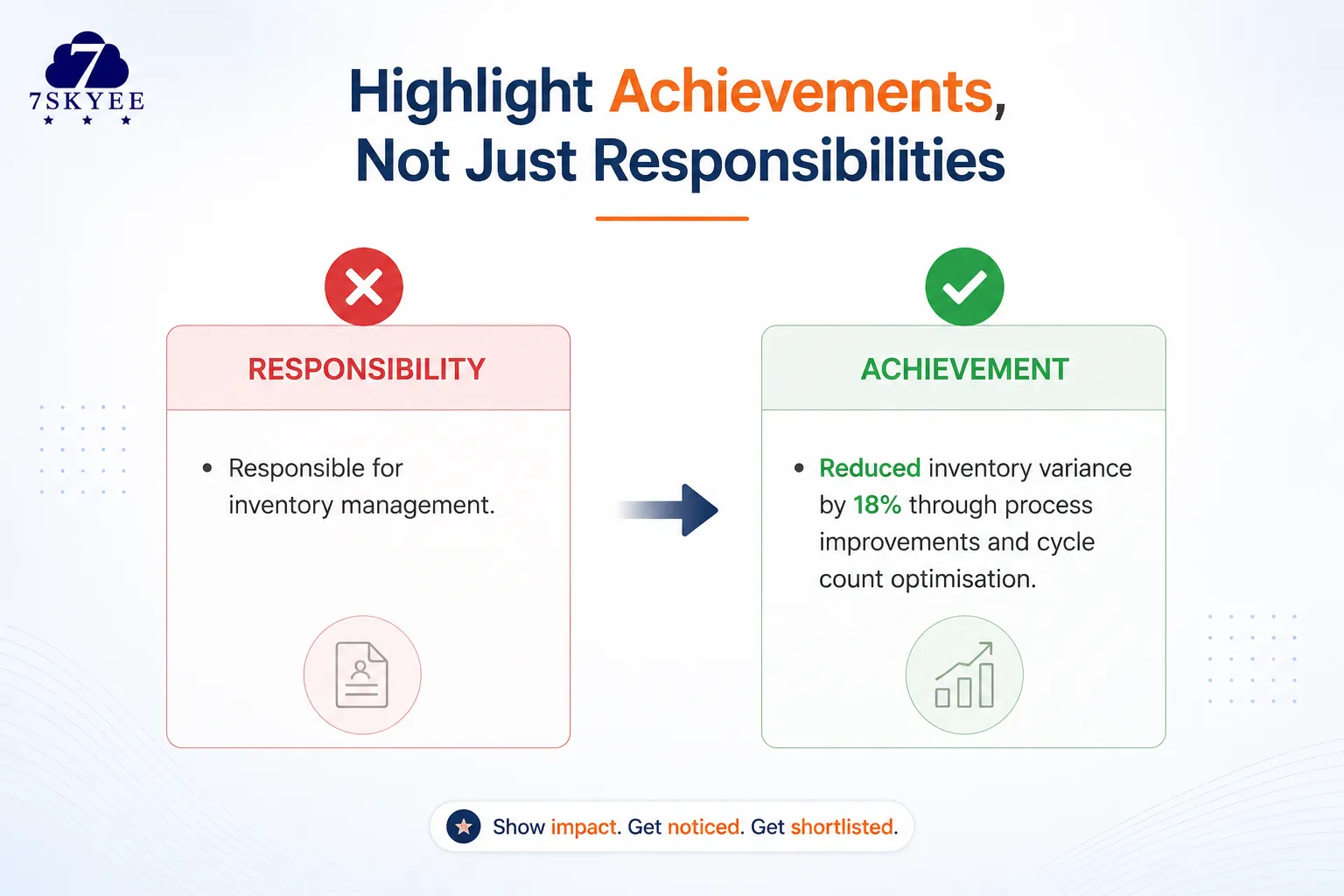
4. Highlight Achievements, Not Just Responsibilities
Recruiters want evidence of impact.
Instead of writing:
Responsible for inventory management.
Write:
Reduced inventory variance by 18% through process improvements and cycle count optimisation.
Numbers provide context and demonstrate results.
5. Keep Formatting Simple
Avoid excessive design elements.
Use:
Professional fonts
Clear spacing
Bullet points
Consistent headings
Simple layouts
A clean resume is easier for both recruiters and ATS software to process.
6. Remove Unnecessary Information
Your resume should focus on information relevant to the role.
Consider removing:
Irrelevant hobbies
Outdated software skills
Unrelated work experience
Excessive personal details
Every section should strengthen your application.
7. Proofread Carefully
Grammar mistakes, spelling errors, and inconsistent formatting can create a poor first impression.
Before submitting:
Review your resume carefully.
Use grammar checking tools.
Ask someone you trust to proofread it.
Attention to detail reflects professionalism.
8. Save in the Right Format
Unless the employer requests otherwise, PDF is often the safest format because it preserves formatting across devices.
If the employer specifically requests a Word document, follow those instructions.
Always read the application requirements carefully.
Common ATS Myths
There are many misconceptions about Applicant Tracking Systems.
Myth: ATS automatically rejects resumes.
Reality: ATS helps organise applications. Recruiters still make hiring decisions.
Myth: Adding hundreds of keywords guarantees success.
Reality: Recruiters value relevance and authenticity.
Myth: Fancy templates improve visibility.
Reality: Clear formatting usually works better than overly decorative designs.
Final Thoughts
An ATS-friendly resume isn't about gaming technology—it's about making your qualifications easy to understand.
When recruiters can quickly identify your skills, achievements, and experience, you improve your chances of progressing to the interview stage.
Take time to tailor your resume for each opportunity, highlight measurable achievements, and present your experience in a clean, organised format. Small improvements today can make a meaningful difference to your job search.
Frequently Asked Questions
What is an ATS-friendly resume?
An ATS-friendly resume uses clear formatting, standard headings, and relevant keywords, making it easier for recruitment software and recruiters to review.
Does an ATS reject resumes automatically?
No. Applicant Tracking Systems help organise applications and support recruiters during the hiring process. Final hiring decisions are made by people.
Should I customise my resume for every job?
Yes. Tailoring your resume to match the job description can improve relevance and help recruiters quickly identify your suitability for the role.
Is a PDF or Word document better?
Follow the employer's instructions. If no format is specified, PDF is generally preferred because it preserves formatting.
How long should an ATS-friendly resume be?
For most professionals, one to two pages is sufficient. Focus on relevant experience, achievements, and skills rather than unnecessary details.